Accessibility Wise

An educational website to make accessibility more accessible.
Visit Accessibility Wise
Fonts used:
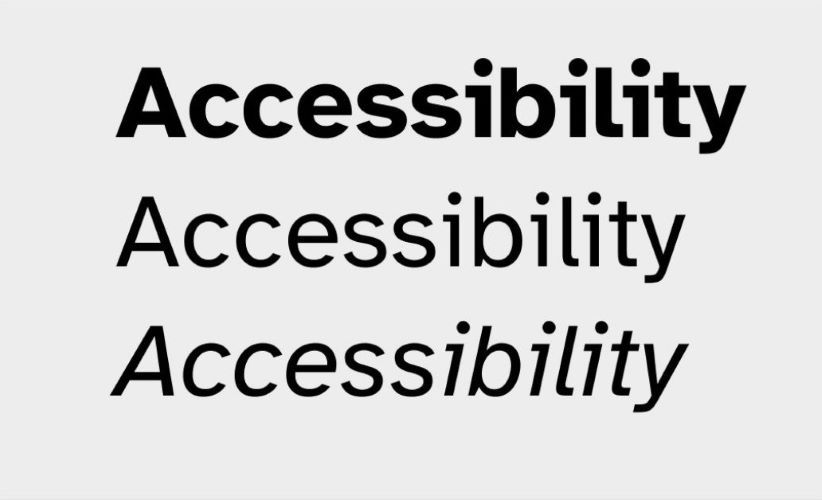
- Atkinson Hyperlegible
- Crete Round
The Plan
The plan was to create a website, to educate new designers and web developers on accessibility and to encourage them to make their websites more inclusive. I wanted the website to take an empathetic approach to its content, explaining accessibility concepts with a logical and friendly tone of voice.
Relating to beginners who might find learning accessibility challenging, by breaking down these concepts simply. The website needed to be as accessible as possible, with a key focus on legibility, ease of navigation, and colour contrast. I also needed the design to reflect the approachability of the content by being welcoming in typography, colour design and layout.
The Result
I developed a website I was proud of, and I felt reflected my overall goal of creating both an accessible and welcoming website, which beginners would find a helpful resource and an encouraging source of inspiration.
Accessibility was at the heart of every design decision I made. This included using a font purposefully developed for the visually impaired by the American Braille Institute, a layout which focused on usability and considered users who may be navigating with just a keyboard.
I paid close attention to colour contrast to ensure the content was highly legible. I also considered cognitive disabilities, including content summaries at the start of each article, a forgiving search function which would suggest a relevant keyword if it spotted a word was spelt incorrectly, and frequent use of breadcrumbs. This would benefit users with dyslexia, ADHD and dementia as well as other disabilities that affect memory and processing.

I also ensured that all the code was highly accessible, including using semantic HTML, and CSS, effective use of aria labels, skip content links, and alt tags. Integrating what I had learnt from writing my website articles into the development process.
Alongside this focus on accessibility, I met my aim of creating a welcoming website by developing a design with an emphasis on being friendly and approachable. This was reflected within the logo design, the calming colour scheme of green-blue shades, and the use of illustrations to accompany each article. The copy of the articles, also aligned with these goals and I invested time in ensuring it was balanced explaining things clearly and simply without being condescending to the user.